

Why Does My S23 LCD Screen Have a Yellow Tint at Certain Viewing Angles
2026-08-10
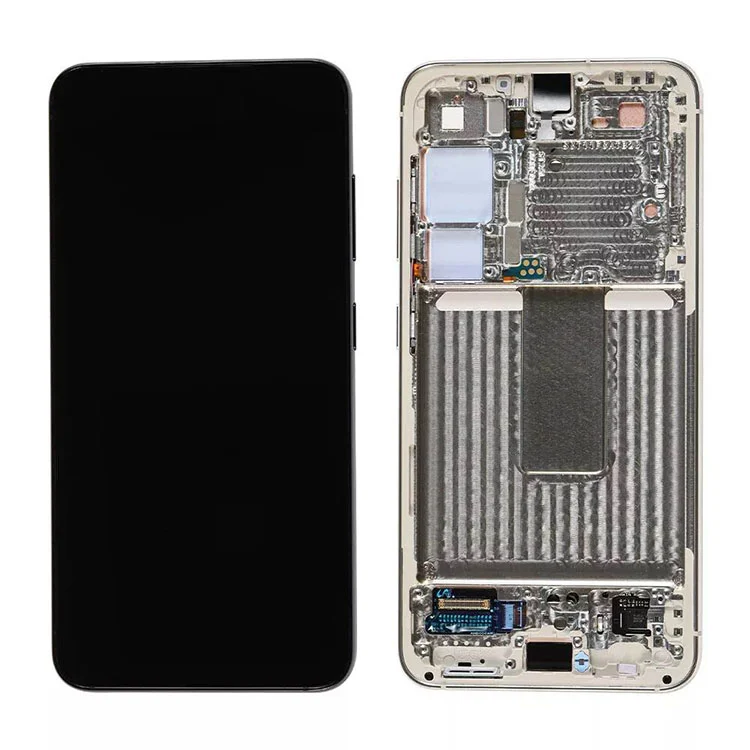
If you have recently replaced your original display with an aftermarket panel, you might notice a warm yellowish glow when you tilt your phone sideways or look at it from an extreme angle. This is not a defect in every case, but it is a common characteristic of many replacement displays. At Topyet, we receive this question almost daily from customers who want to know if their new S23 LCD Screen is faulty or simply functioning as designed. The short answer is that the yellow shift is usually optical, not electrical, and it stems from the fundamental construction of LCD technology compared to OLED.
The Optical Science Behind the Yellow Shift
LCD panels rely on a backlight unit (BLU) that passes through liquid crystals, a color filter, and multiple polarizing layers. When you view an S23 LCD Screen straight on, the light travels through these layers at a perpendicular angle, producing the most accurate color temperature. However, as you tilt the screen, the effective path length of light through the polarizers and filters changes. This alters the spectral distribution, often shifting the white point toward the yellow or amber spectrum. This phenomenon is known as off-axis color shift, and it is more pronounced in LCDs than in OLEDs because OLEDs emit light per pixel without a backlight.
| Viewing Angle | Typical Color Shift | Severity Level |
|---|---|---|
| 0° (Dead center) | Neutral white (6500K) | None |
| 15°–30° tilt | Slight warm tone (+200–300K) | Mild |
| 30°–50° tilt | Noticeable yellow/amber cast | Moderate |
| >50° tilt | Strong yellow or even greenish tint | High |
This table applies to virtually all third-party S23 LCD Screens, including those from reputable suppliers like Topyet. The degree of shift depends on the quality of the polarizer film and the precision of the liquid crystal alignment during manufacturing.
Three Main Causes Specific to Replacement Displays
1. Polarizer Quality and Layer Stacking
Aftermarket S23 LCD Screens often use thinner polarizers to reduce cost and weight. While this makes the screen more affordable, it reduces the angular tolerance of the display. Premium suppliers like Topyet use multi-layer compensation films that minimize yellow shift, but budget variants almost always exhibit stronger off-axis warming.
2. Backlight LED Spectrum
The white LED backlight in an LCD is typically a blue chip coated with yellow phosphor. At off-axis angles, the blue light scatters more than the yellow light, leaving a warmer residual tone. Higher-grade backlights with red-green-blue (RGB) LED arrays can reduce this effect, but they are rarely used in aftermarket S23 LCD Screens due to cost constraints.
3. Digitizer and OCA Adhesive Interference
The optically clear adhesive (OCA) that bonds the glass to the LCD panel can also introduce a slight refractive shift. If the adhesive layer is uneven or has a different refractive index than the original, the yellow tint becomes more visible when the screen is viewed from the sides.
Is a Yellow Tint a Defect or a Feature?
In most cases, a mild yellow tint at extreme angles is not a functional defect. It does not affect touch response, brightness, or battery life. However, if the yellow shift appears even at a 10°–15° tilt, or if it is accompanied by uneven backlight bleeding, that indicates a substandard panel. At Topyet, we grade our S23 LCD Screens with a strict 3‑point angular test to ensure that any color shift remains within ±300K of the center reading, which is considered acceptable by industry standards.
FAQ – Common Questions About S23 LCD Screens
Q1: Does a yellow tint on my S23 LCD Screen mean the screen will fail soon?
A1: Not necessarily. A yellow tint at off-axis angles is an optical property of the LCD construction, not an electronic failure mode. It does not indicate imminent panel death, backlight burnout, or digitizer malfunction. However, if the yellowing appears only on one half of the screen or flickers with brightness changes, that points to a defective backlight driver or a loose flex cable. In that case, you should contact your supplier immediately. For panels purchased from Topyet, we offer a 12‑month warranty that covers such electronic faults, but we do not consider standard off-axis warmth a valid return reason because it is inherent to the technology.
Q2: Can I calibrate or adjust the color settings to remove the yellow tint from my S23 LCD Screen?
A2: Yes, partially. Samsung’s built‑in display settings (Settings → Display → Screen mode) allow you to slide the color temperature toward “Cooler” or “Vivid” to compensate for the warm shift. This adjustment affects the entire screen, so it can reduce the center‑view warmth as well, making the off‑axis yellow less obvious by comparison. However, you cannot eliminate the angular shift entirely because it is a physical light‑path phenomenon, not a software color profile issue. Some third‑party kernel tweaks (root required) can adjust gamma curves per angle, but we do not recommend this, as it may degrade overall color accuracy. For most users, reducing the general warmth by 2–3 notches in the stock settings is enough to make the tilt‑view comfortable.
Q3: Why didn’t my original Samsung OLED have this yellow tint, but my new S23 LCD Screen does?
A3: Because OLED and LCD are fundamentally different. OLED pixels emit their own red, green, and blue light directly, so the color spectrum remains nearly constant across viewing angles (with only a slight blue shift at extreme tilts). LCDs, on the other hand, rely on a white backlight and color filters; the angular dependence of the liquid crystal twist and the polarizer stack creates a much larger spectral variation. In other words, you are comparing a self‑emissive technology with a transmissive one. The yellow tint is not a “downgrade” in quality per se—it is simply a trade‑off of LCD architecture. That is why aftermarket S23 LCD Screens cost significantly less than OLED replacements. At Topyet, we clearly label our LCD products as “LCD replacement” so customers know exactly what to expect in terms of viewing angles.
When to Worry and When to Accept
| Condition | Action |
|---|---|
| Yellow tint only beyond 40° tilt | Acceptable – normal for S23 LCD Screens |
| Yellow tint at 15° tilt + uneven backlight | Request replacement (possible manufacturing defect) |
| Yellow tint + touch lag or ghost touches | Immediate replacement needed – digitizer issue |
| Yellow tint disappears after reboot, then returns | Software glitch – clear cache or reset display settings |
Final Verdict
The yellow tint you see on your S23 LCD Screen at certain angles is not a red flag—it is a yellow flag that simply tells you the screen is an LCD, not an OLED. Unless the shift is extreme or accompanied by other symptoms, you can safely use the display for years without degradation. Choosing a supplier that tests angular performance, like Topyet, ensures you receive a panel that stays within tolerable limits.
Have more questions about your S23 LCD Screen replacement?
We at Topyet specialize in high‑grade aftermarket displays with full quality reports and technical support. Whether you need installation guidance, calibration tips, or warranty assistance, our team is ready to help. Contact us via our website live chat or email [email protected] – we typically respond within 2 business hours. Let us make your screen experience clear, bright, and worry‑free.
